Teleport Duels Game Modes & Team Scoreboard
Teleport Duels officially supports three combat playlists: 1v1 Duels, Team Deathmatch, and Free For All.
Match HUD and Scoreboard Layout
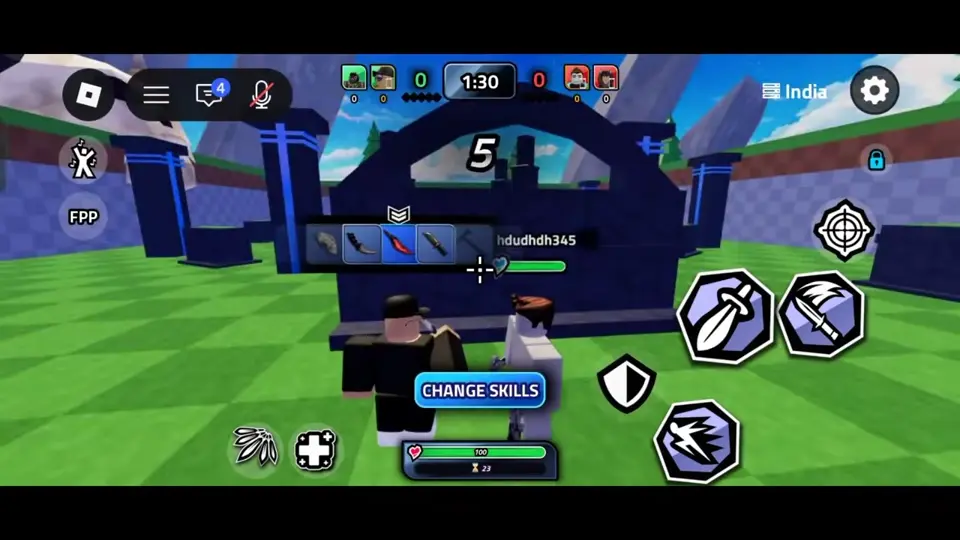
In recorded team matches, the top of the screen displays a central round timer and team scores flanked by player portraits on either side. One captured match shows a 1:30 round clock as an example of this timer, and a CHANGE SKILLS button appears at the bottom during the pre-round countdown.
When a match concludes in recorded live footage, a VICTORY overlay appears on screen followed by a final kill replay that players can watch or bypass using the SKIP prompt.
Captured Map Vote Pool
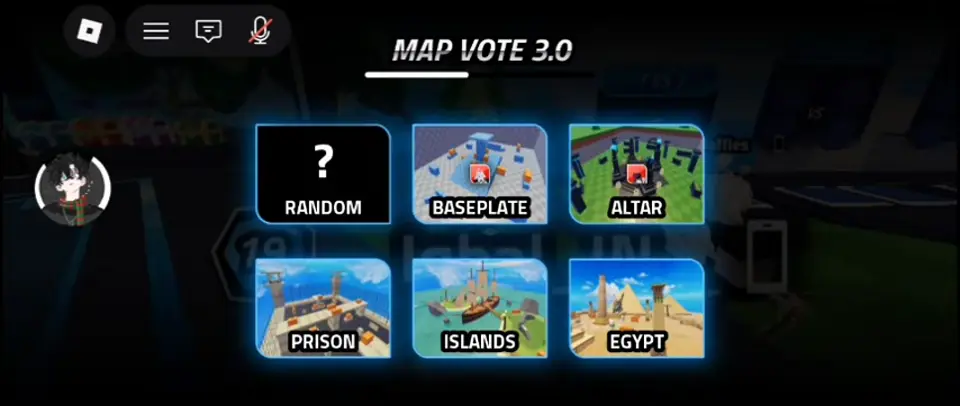
Pre-match footage captures a Map Vote screen where players can select the upcoming arena, though it is unconfirmed whether this voting menu appears before every mode or match.
The recorded Map Vote selection displays six options: Random, Baseplate, Altar, Prison, Islands, and Egypt.
Choosing a Mode for Your Goals
Because the game does not publish exact respawn rules or round score thresholds for each playlist, choosing a mode comes down to how you want to practice. As player advice, use 1v1 Duels to isolate your parry timing and dagger placement against a single rival.
Step into Team Deathmatch when you want to practice coordinating engagements alongside allies and using the pre-round countdown to adjust your skills. Choose Free For All when you want to test your spatial awareness and target switching against multiple independent opponents at once.