Teleport Duels Beginner Guide & Mobile Tutorial
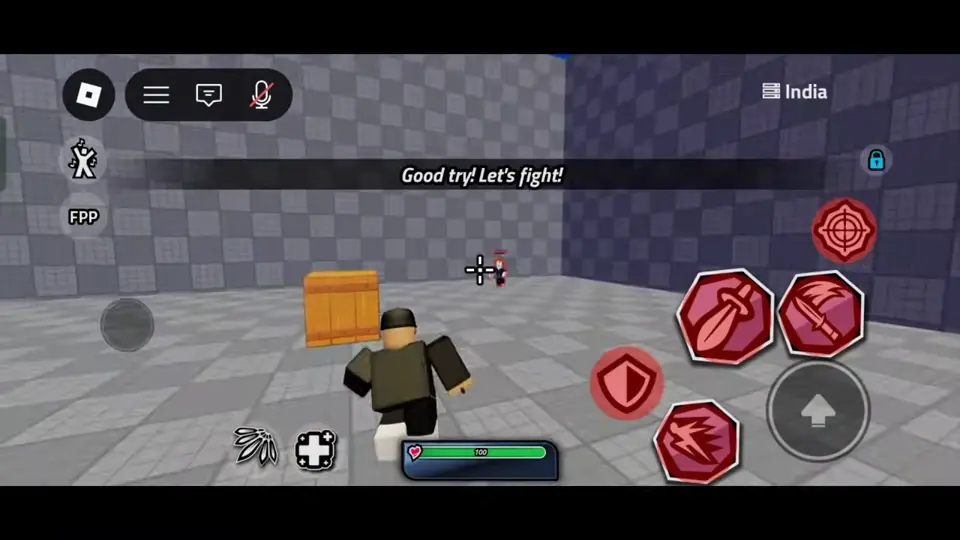
Start with the mobile tutorial if it appears. Throw the dagger, press the same button again when it turns green, and use the shield when the practice enemy attacks. Then try the sequence against one opponent in 1v1 Duels.
Recorded Onboarding Sequence
Captured mobile footage shows an onboarding sequence that introduces the core controls step by step, though it is not confirmed whether every player sees this drill. In the recorded sequence, throwing the dagger changes its button to a green TELEPORT icon with the prompt PRESS AGAIN TO TELEPORT, keeping it separate from the nearby basic slash button.
The recorded drill then displays the prompt PARRY WHEN THE ENEMY ATTACKS while highlighting the shield icon, accompanied by a warning marker and a red screen flash during the lesson. After the parry step, the sequence transitions directly into a practice fight against the training opponent, where an ability icon is shown entering a timed countdown after use.
Lobby Menu and Control Layouts
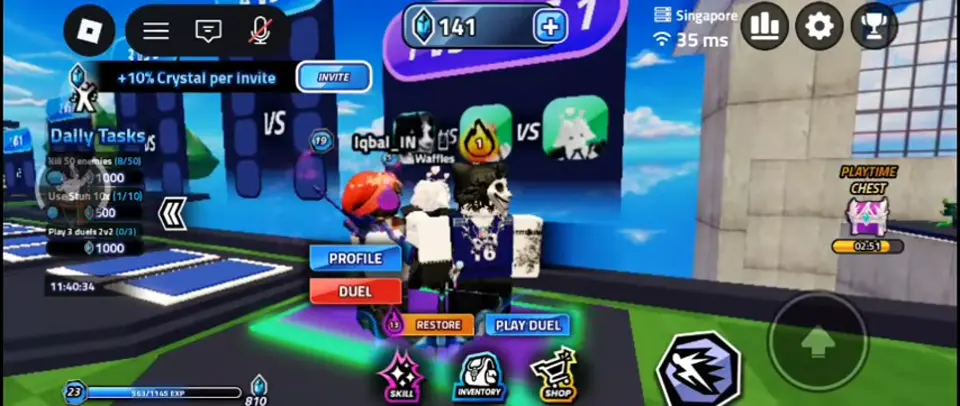
In captured lobby footage, the main screen presents buttons for Skill, Inventory, Shop, and Play Duel. While the official description confirms that players can unlock legendary weapons, skills, and kill effects, exact shop pricing and unlock paths are not verified.
Controls differ by device. On mobile touchscreens, you tap on-screen icons for your basic slash, dagger throw and teleport, shield parry, and equipped skills. In recorded controller gameplay, the HUD assigns the dagger throw and teleport to R1, the shield parry to R2, and the two equipped skills to L1 and L2.
First Match Flow and Safer Practice
During recorded live matches, defeating the final opponent brings up a VICTORY banner alongside a final kill replay that includes a SKIP button. In team-based rounds, a pre-round countdown appears with a CHANGE SKILLS button before combat begins.
As practical advice for new players, consider starting in 1v1 Duels to practice the rhythm of throwing, teleporting, and parrying against a single opponent without third-party interference. Focus on watching your ability icons so you recognize when a tool is ready or on countdown.